
No products in the cart.
AMAZON DEVICES
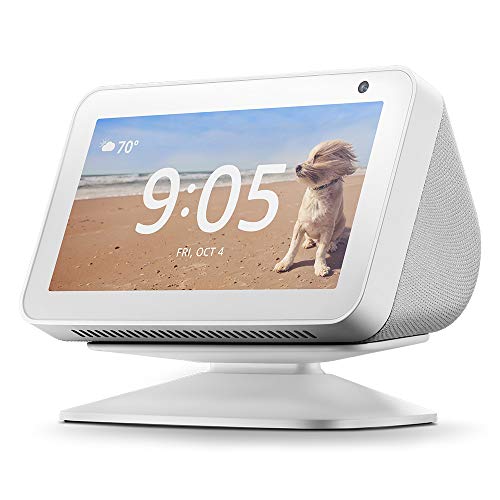
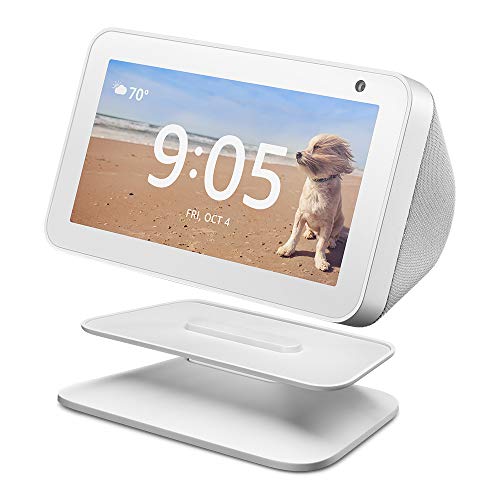
Echo Show 5 (1st Gen) Adjustable Stand – White
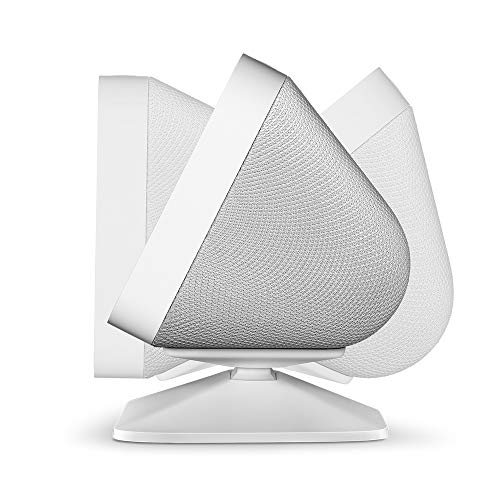
Easily tilt your Echo Show 5 forward or backward to improve viewing angle.
Quick and secure magnetic attachment.
$9.99
Easily tilt your Echo Show 5 forward or backward to improve viewing angle.
Quick and secure magnetic attachment.
Based on 0 reviews
Be the first to review “Echo Show 5 (1st Gen) Adjustable Stand – White”
Related products
- AMAZON DEVICES
Kasa Smart Light Switch HS200, Single Pole, Needs Neutral Wire, 2.4GHz Wi-Fi Light Switch Works with Alexa and Google…
 AMAZON DEVICES
Kasa Smart Light Switch HS200, Single Pole, Needs Neutral Wire, 2.4GHz Wi-Fi Light Switch Works with Alexa and Google…
Make sure this fits by entering your model number.
Easy guided install: Neutral wire is required, standard wall plate size. No need to understand complex switch wiring or master vs auxiliary switch configurations; The Kasa app guides you through easy step by step installation. Need 2.4GHz Wi-Fi connection
Control from anywhere: Monitor your light status. Turn electronics on and off from anywhere with your smartphone using the Kasa app, whether you are at home, in the office or on vacationSKU: n/a - AMAZON DEVICES
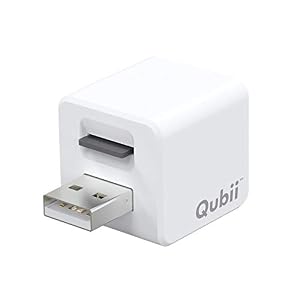
MAKTAR Qubii USB-A (Without microSD) Photo Stick, Auto Backup While Charging, MFi Certified Compatible with iPhone/iPad…
 AMAZON DEVICES
MAKTAR Qubii USB-A (Without microSD) Photo Stick, Auto Backup While Charging, MFi Certified Compatible with iPhone/iPad…
💡【NEVER BE REMINDED TO BACKUP】 Automatically backs up your photos while charging your iPhone or iPad. You just plug Qubii photo stick into your existing Apple power adapter and cable. From that point, everything works automatically.
💡【EXPAND YOUR IPHONE STORAGE】Worry-free backup of your iPhone photos, videos, iCloud and photos on Facebook/Instagram/Flickr to microSD card in Qubii photo storage device. Quickly free up memory on your iPhone/iPad.
💡【TRANSFER PHOTOS BETWEEN DEVICES 】View, share and restore your data with the FREE “Qubii” APP. Different Apple devices can share one Qubii photo storage device, as it creates separate folders by device name. Simply plug Qubii’s USB port into your computer’s available USB port for the viewing or transferring the files.SKU: n/a - AMAZON DEVICES
Hamilton Beach Works with Alexa Smart Coffee Maker, Programmable, 12 Cup Capacity, Black and Stainless Steel (49350) – A…
 AMAZON DEVICES
Hamilton Beach Works with Alexa Smart Coffee Maker, Programmable, 12 Cup Capacity, Black and Stainless Steel (49350) – A…
Make sure this fits by entering your model number.
Alexa turn on my coffee maker smart 12 cup coffee maker works with Alexa giving you the ability to ask your Alexa app or Alexa smart speaker to start brewing change brew strength or turn off the coffee maker the clock automatically keeps the correct time by syncing wirelessly with the app you can easily program for wake-up ready coffee using routines in the Alexa app visit the Alexa app regularly to learn new functions or things to say as launches new commands
Certified for humans – Struggle-free, tinker-free, stress-free no patience needed – it’s actually simpleSKU: n/a - AMAZON DEVICES
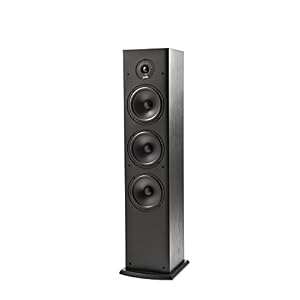
Polk Audio T50 150 Watt Home Theater Floor Standing Tower Speaker (Single) – Amazing Sound | Dolby and DTS Surround
 AMAZON DEVICES
Polk Audio T50 150 Watt Home Theater Floor Standing Tower Speaker (Single) – Amazing Sound | Dolby and DTS Surround
GET SUPERIOR HOME THEATER EXPERIENCE WITH IMMERSIVE SURROUND SOUND & HI-RES AUDIO. Featuring a 1″ tweeter, a 6.5″ Driver and (2) 6.5″ Bass Radiators. The 2 bass radiators augment the main woofer and produce a well-balanced, natural warm sound reaching the far corners of the room
AMPLIFY YOUR MOVIE, MUSIC AND GAMING EXPERIENCE with this T-series speaker that not only sounds brilliant but also heightens your audio experience. Fill any small to medium sized room, produce captivating lifelike sound, which pulls you right into the heart of the action
CREATE A FULL-FLEDGED 5.1 HOME THEATER SETUP with the complete range of T-series speakers from Polk with two T50 Tower Speakers, one T30 Center Channel, two T15 Bookshelf speakers and a subwooferSKU: n/a - AMAZON DEVICES
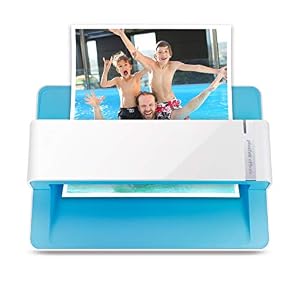
Plustek Photo Scanner – ephoto Z300, Scan 4×6 Photo in 2sec, Auto Crop and Deskew CCD Sensor. Support Mac and PC
 AMAZON DEVICES
Plustek Photo Scanner – ephoto Z300, Scan 4×6 Photo in 2sec, Auto Crop and Deskew CCD Sensor. Support Mac and PC
Make sure this fits by entering your model number.
The easiest way to scan photos and documents. Supports 3×5, 4×6, 5×7, and 8×10 in sizes photo scanning but also letter and A4 size paper. Optical Resolution is up to 600 dpi ( PS: two setting: 300dpi/ 600dpi).
Fast and easy, 2 seconds for one 4×6 photo and 5 seconds for one 8×10 size photo@300dpi. You can easily convert about 1000 photos to digitize files in one afternoon and share with your family or friends.SKU: n/a
There are no reviews yet.